Easily Create Custom Fantasy Football Team Logos with AI
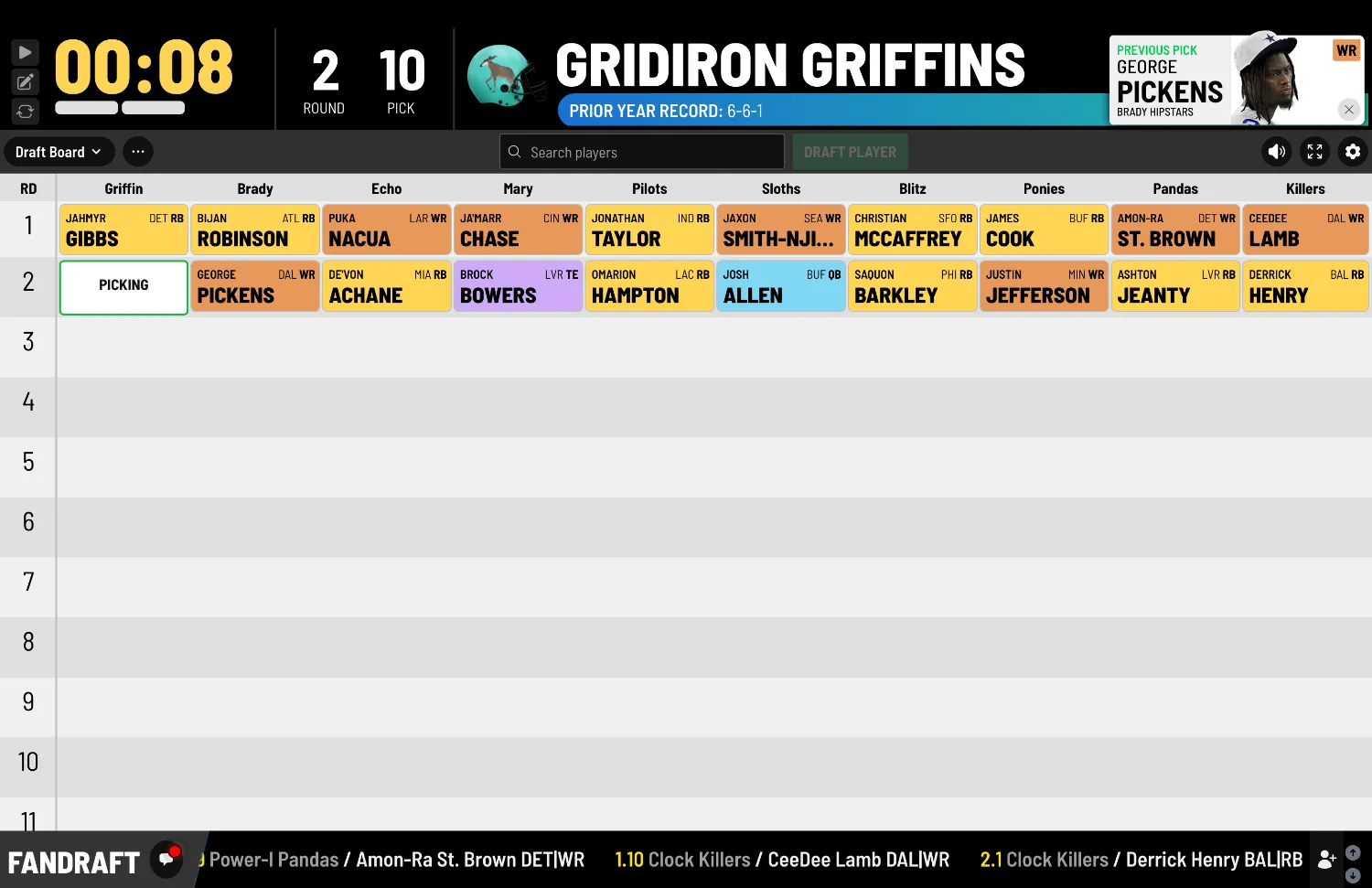
Use ChatGPT to create a custom fantasy football team logo, then place it on a helmet image you can use inside FanDraft.
People have mixed feelings about AI, and I get it. Some of it feels useful, some of it feels weird, and some of it feels like it was created by a robot who has never been invited to a fantasy draft.
But this is one fantasy football use case where AI can be legitimately awesome.
If you run a fantasy league, you know the little details make draft day more fun. Team names, logos, helmets, draft boards, walk-up songs, inside jokes, and all the stuff that makes your league feel like your league. With ChatGPT (or whatever AI Chat agent you use), you can easily create custom fantasy football team logos in just a few minutes, then place those logos onto a football helmet image that can be used inside FanDraft for your league’s draft.
Here’s the simple version of what we’re going to do:
First, I’ll be using ChatGPT to create a custom fantasy football team logo. Then, we’ll upload that logo along with a blank football helmet image (provided below) and ask ChatGPT to place the logo on the helmet while changing the helmet color to match the team.
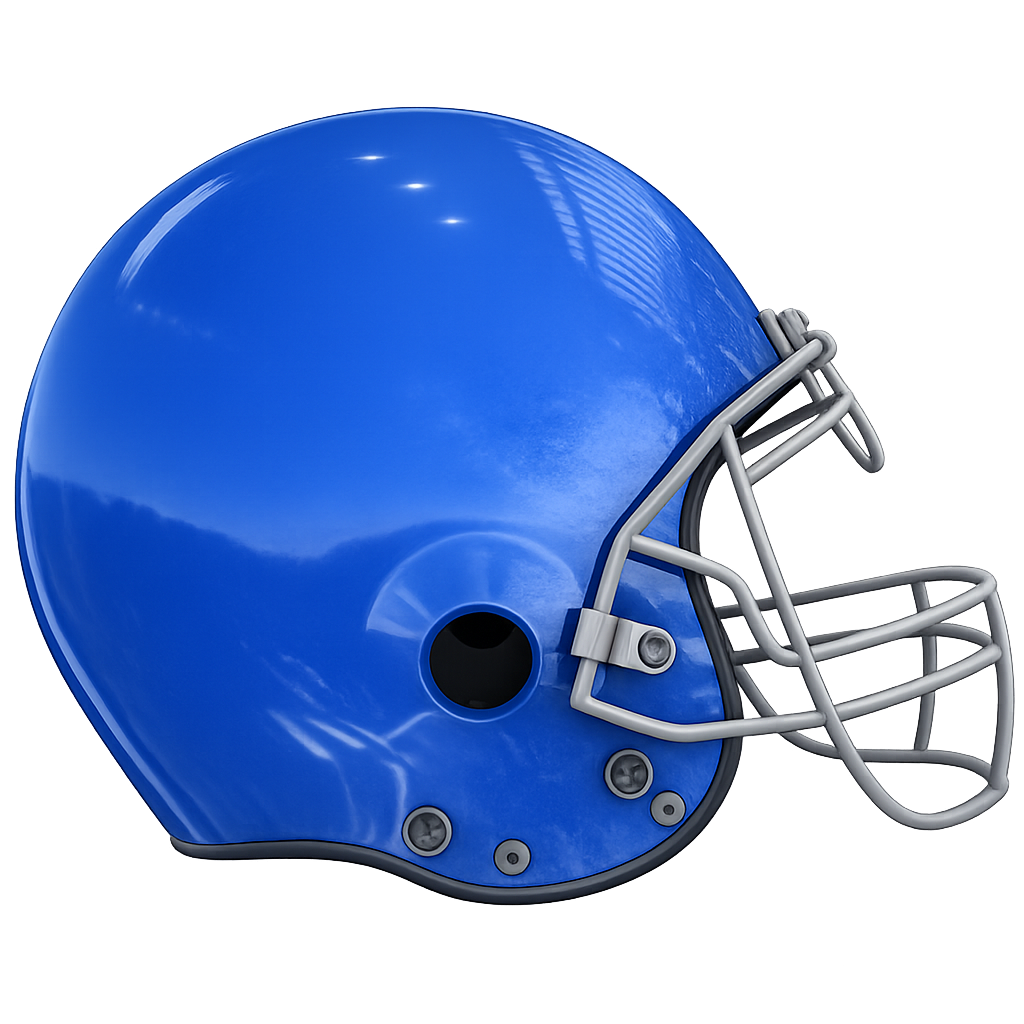
You can right-click and download the blank helmet image below to use for this process.
Download the blank FanDraft football helmet image
Step 1: Create Your Fantasy Football Team Logo
Start by asking ChatGPT to create a clean, high-resolution logo. The key is to be specific. You want to include the team name, mascot or theme, colors, and the fact that this logo will eventually go on a football helmet.
Here’s the prompt you can use:
Create a high-resolution fantasy football team logo for a team called [TEAM NAME].

The mascot/theme is [MASCOT OR THEME].

Make the logo bold, clean, and modern, similar to a professional football team logo. It should work well on a football helmet, so keep the design simple enough to be recognizable at smaller sizes.

Use a transparent background.

Use the team colors: [TEAM COLORS].

The logo should not include a helmet, football field, or background scene. It should be a standalone emblem or mascot mark that can be placed on the side of a helmet.

Make it sharp, high-definition, centered, and suitable for use on a fantasy football draft board.
For example, if your team is called the Randy Dolphins, your mascot is a dolphin, and your main team color is yellow, the prompt would look like this:
Create a high-resolution fantasy football team logo for a team called Randy Dolphins.

The mascot/theme is Dolphin.

Make the logo bold, clean, and modern, similar to a professional football team logo. It should work well on a football helmet, so keep the design simple enough to be recognizable at smaller sizes.

Use a transparent background.

Use the team colors: Yellow.

The logo should not include a helmet, football field, or background scene. It should be a standalone emblem or mascot mark that can be placed on the side of a helmet.

Make it sharp, high-definition, centered, and suitable for use on a fantasy football draft board.
Once ChatGPT creates the logo, save the image. You’ll use it in the next step.
Step 2: Place the Logo on the Helmet
Now upload two images into ChatGPT:
- The blank helmet image from this article
- The logo you just created
Then use this prompt:
Using the attached helmet image and the attached team logo, place the logo on the side of the football helmet.

Change the helmet color to [HELMET COLOR].

Keep the helmet facing the same direction and preserve the same realistic lighting, shine, shadows, facemask, screws, and overall 3D style.

The logo should appear naturally applied to the helmet shell, following the helmet's curve and perspective.

Do not change the facemask color unless I specifically ask.

Keep the background transparent.

Make the final image high-resolution and clean enough to use in a fantasy football draft board or team profile.
For example:
Using the attached helmet image and the attached Randy Dolphins logo, place the logo on the side of the football helmet.

Change the helmet color to red.

Keep the helmet facing the same direction and preserve the same realistic lighting, shine, shadows, facemask, screws, and overall 3D style.

The logo should appear naturally applied to the helmet shell, following the helmet's curve and perspective.

Do not change the facemask color.

Keep the background transparent.

Make the final image high-resolution and clean enough to use in a fantasy football draft board or team profile.
That’s it. ChatGPT should return a finished helmet with your custom logo placed on the side, ready to use for your fantasy team.
Below is an example of what the process looks like step by step, from creating the logo to placing it onto the helmet. Once you’ve done it once, you’ll probably want to make helmets for half your league. Or all of it. Commissioners are not known for stopping at “good enough.”
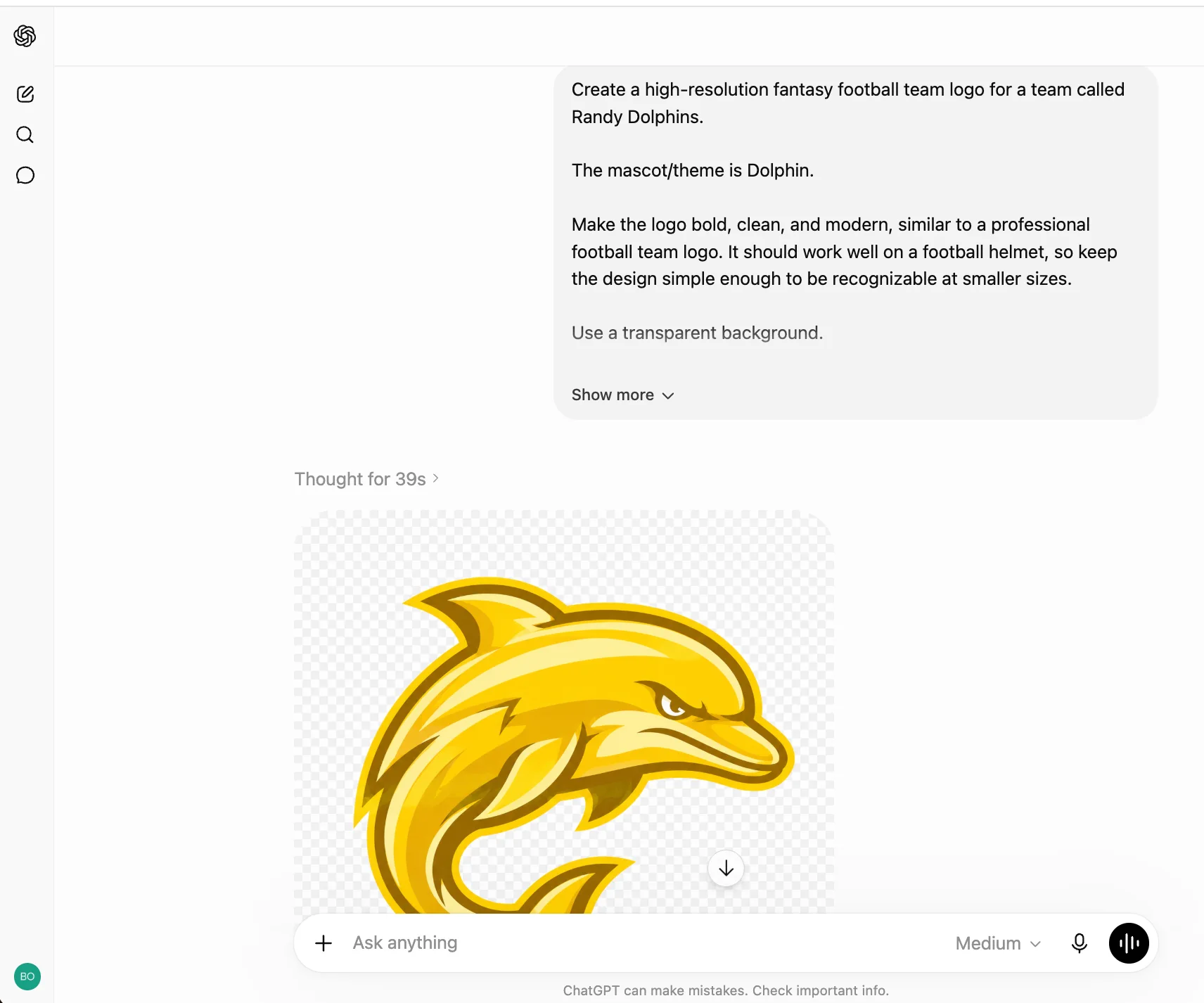
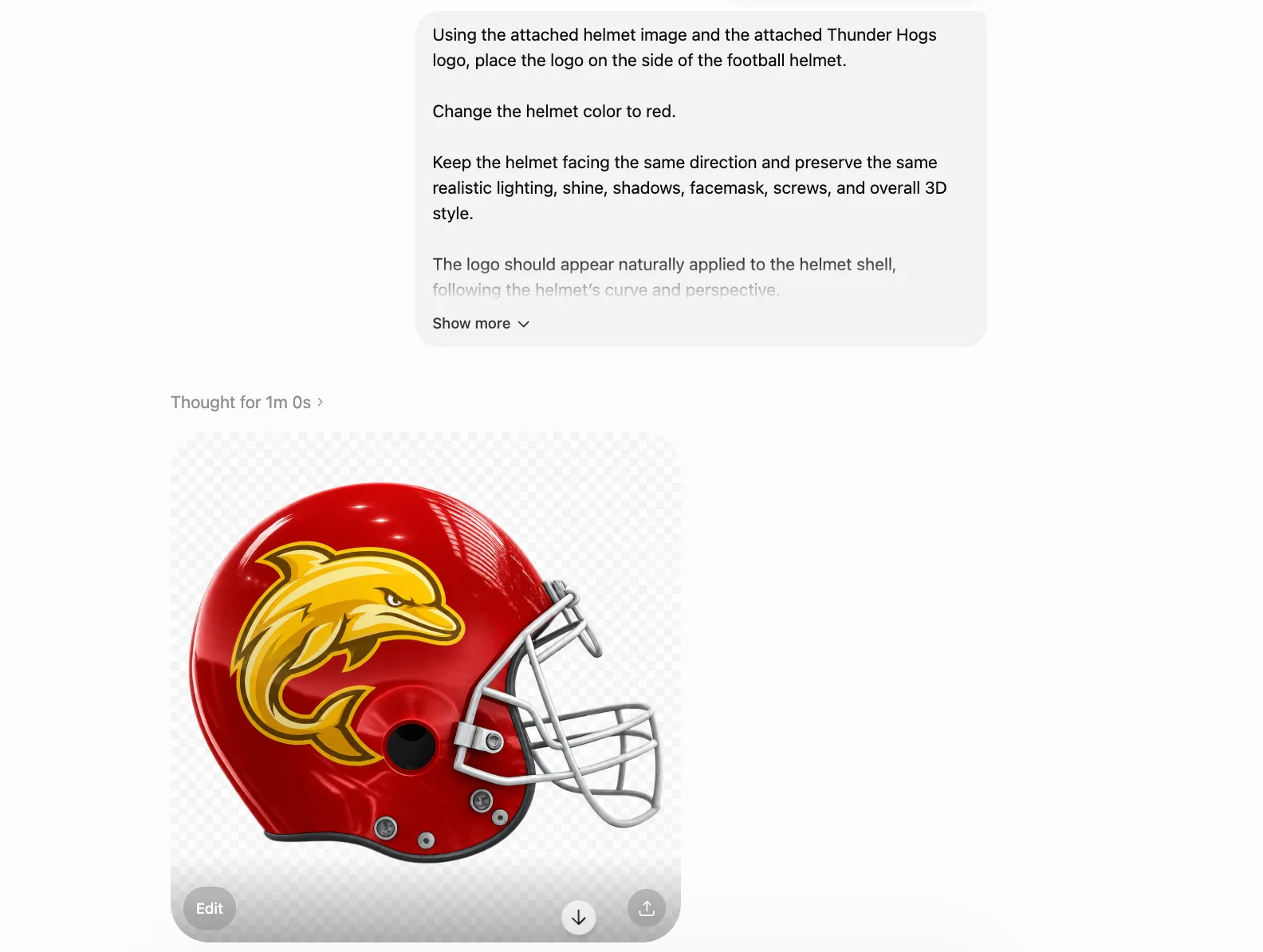
Pretty slick, eh? Make sure to save both the logos and helmet images that you get back from the AI, as you’ll find them to end up being useful in many other of your league’s applications in the future (eg, maybe making yourself a custom t-shirt 😆)
See it on your big screen
Create a free account and run a mock draft tonight.
Want these articles sent to your inbox?
Subscribe on Substack →